
Qobuz: Music & Editorial
QobuzMusic & Audio
4.53.87K Reviews
- Version
- Varies With Device
- Installs
- 1.00M
- Age Rating
- Teen
Screenshots
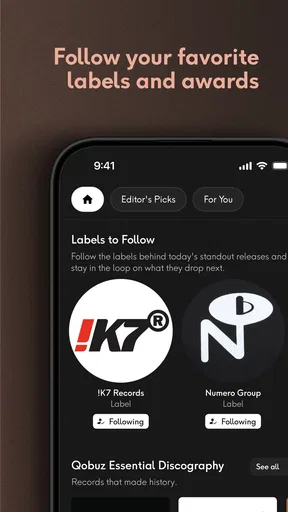
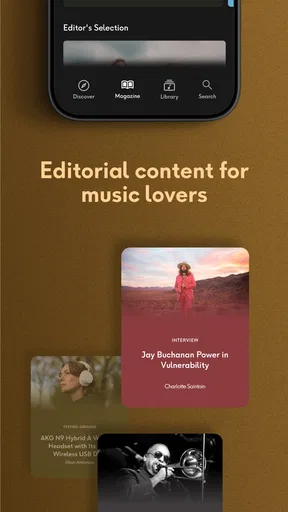
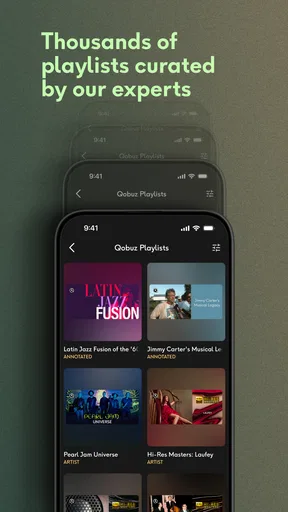
Our Review of Qobuz: Music & Editorial
 Analysis by Appyee
I tend to judge a music app by what it changes about listening, not by how many buttons it puts on screen. With Qobuz: Music & Editorial, the key draw is the chance to stream and download music in high quality, with a large catalogue to explore. That focus makes it appealing if you listen closely, but it also raises a practical question: will you hear and use the difference in your everyday routine?
What high-quality listening changes
Better sound is not an automatic upgrade for every listener. The difference matters most when I can give a track some attention, use headphones or speakers I enjoy, and avoid a noisy setting. In those moments, a well-recorded song can feel more spacious and less compressed; subtle parts are easier to follow. On a busy street or through a small speaker, the surroundings and hardware may matter more than the streaming quality.
That is why I would treat high-quality playback as an option to enjoy, not a promise that every song will suddenly sound transformed. The recording itself, the device playing it, and the listening environment all affect the result. If I am choosing music for focused listening at home, the format has a clearer purpose than when I just need background sound while doing chores.
Making the catalogue work for you
A large music library is useful only when it helps me get from an idea to something worth hearing. I would use search when I already know an artist or album, then let recommendations guide me when I want a change of mood. A practical habit is to save discoveries as I go rather than expect to remember an unfamiliar artist later. That turns a quick browse into a personal queue for the next listening session.
Editorial material can also change how I use a streaming service. Instead of moving straight from one track to another, I can read about an album or artist and then listen with a little more context. I find that especially useful when exploring a style I do not know well: a short piece of writing can give me a reason to try a record I might otherwise skip. It is a different kind of discovery from an algorithmic playlist, and the two approaches serve different moods.
A routine that suits the app
For a realistic everyday use, imagine getting home after work and wanting one album rather than a stream of unrelated suggestions. I would browse for a record, read a related editorial if one catches my eye, and listen through headphones while making dinner. If I know I will be commuting the next morning, I would prepare music for offline listening while connected rather than rely on a patchy signal later. It is a small workflow, but it makes the app useful both for deliberate listening and for a predictable trip.
Downloads are especially worth thinking about before travel. I would check that the albums I want are available offline and leave enough time for them to finish before heading out. That is more reliable than discovering at a station or airport that a connection is too weak. Offline listening is not only for holidays; it can also help on regular routes where reception drops in and out.
Where it fits among music services
Compared with mainstream streaming apps that put playlists and frictionless background listening first, Qobuz’s identity is more closely tied to sound quality and music-focused editorial. That distinction is meaningful if I want to spend time with albums and learn about what I am hearing. If my main goal is simply to press play and get an endless, familiar mix with minimal effort, a service built around that habit may suit me better.
It also makes sense to consider the equipment already in your life. A capable pair of headphones or a good home audio system gives high-quality streaming more room to matter. If you mostly listen through a phone speaker or inexpensive earbuds in noisy places, I would not pay extra solely in the hope of hearing a dramatic improvement. The best choice is the one that fits how you actually listen, rather than the one with the most impressive technical promise.
There are a few useful questions to settle before making it your main player. Do you care about full albums, or do you mostly want playlists? Will you read music features, or are they likely to go untouched? Do you have a stable connection when streaming, and would offline downloads help with your commute? Thinking through those habits is more useful than choosing based on sound quality alone.
First Impressions
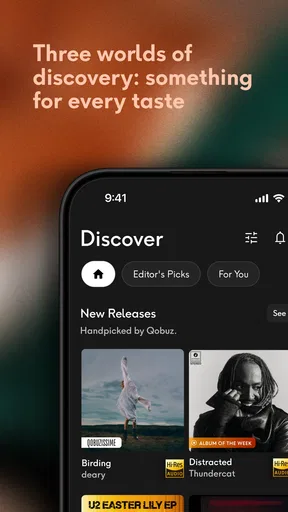
Right off the bat, the app’s interface is sleek and intuitive. It feels like the Spotify of the high-fidelity world, catering to audiophiles who demand more than just good tunes—they want the best sound quality. And trust me, Qobuz delivers just that.
Signing up was a breeze. It offered various subscription options, including one for those who are all about that Hi-Res audio. So, if you're a stickler for sound quality, this might just be the perfect fit for you.
Sound Quality That Stands Out
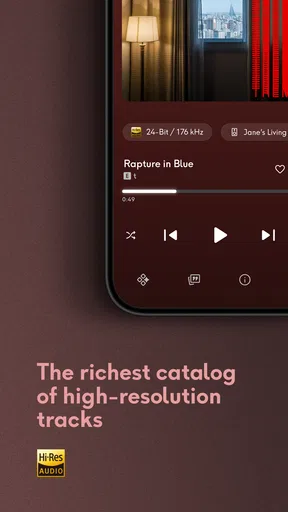
This is where Qobuz: Music & Editorial truly shines. The app supports Hi-Res audio up to 24-bit/192 kHz. Even if you’re listening with standard headphones, the difference is palpable. It’s like the music comes alive, with every instrument and note so crisp and detailed. I found myself rediscovering tracks I’d heard a thousand times before.
Curated Content and Editorials
But wait, there’s more! Not only does Qobuz provide access to over 70 million tracks, but it also offers a treasure trove of editorial content. Think artist interviews, album reviews, and in-depth articles. It’s like having a personal music magazine at your fingertips. I spent hours diving into these stories, which added a new dimension to my listening experience.
User Experience and Navigation
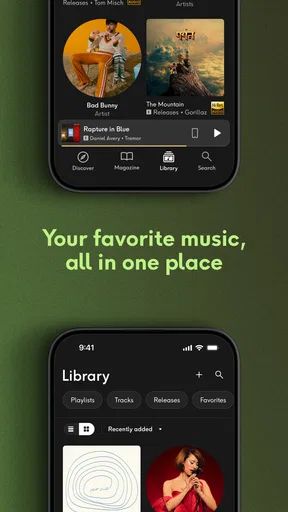
Navigating the app is a breeze. The layout is clean, and finding your favorite tracks or discovering new ones is simple. I appreciated the option to download music for offline listening—a must-have feature for those long flights or commutes where Wi-Fi is spotty.
One feature I particularly loved was the “Discover” section. Tailored to your tastes, it’s like having a personal DJ who knows you better than you know yourself. I was introduced to artists and genres I wouldn’t have found otherwise, which kept things fresh and exciting.
Compatibility and Connectivity
The app plays nicely with a variety of devices, from smartphones to high-end audio systems. I tested it on my home setup, and the sound was just heavenly. It also supports casting to speakers via Chromecast and AirPlay, which was a nice touch for those who love blasting tunes around the house.
One thing to note, though, is that to truly enjoy the Hi-Res audio, you’ll need equipment that can handle it. If you’re used to listening through basic earphones, you might not notice a huge difference. But pair it with a good setup, and you’re in for an auditory treat.
Final Thoughts
Would I recommend Qobuz: Music & Editorial? Absolutely. If you value sound quality and enjoy delving into music journalism, this app is a no-brainer. It’s a bit on the pricier side compared to its competitors, but for the quality and content you get, it’s worth every penny.
So, if you’re ready to elevate your music streaming game, give Qobuz a shot. You might just find yourself hooked, just like I did.
Who is most likely to enjoy it?
Qobuz is a music and audio app from Qobuz, and its strongest fit is someone who treats listening as more than a way to fill silence. I would recommend trying it if you enjoy comparing recordings, making time for albums, or reading about the music you are hearing. It is free to install, has a Teen content rating, and carries a 4.5 average from around 69,000 ratings; the app has passed one million installs. Those figures suggest a substantial audience, but your own listening habits are a better guide than popularity.
The cost question deserves a careful look. The app is free, while in-app purchases are listed at $15.29 per item, so I would check the available plan and its terms in the app before committing. That is particularly important if you are deciding between services: compare the ongoing cost with the parts you will actually use, such as high-quality listening, downloads, and editorial discovery. A feature you rarely open should not be the reason you choose a subscription.
Small decisions that improve the experience
One useful way to test whether the sound focus matters to you is to compare a familiar track in a quiet room using the same headphones and volume. Avoid switching devices or listening environments midway; otherwise, it is hard to tell what caused the difference. I would also try a few kinds of recordings rather than judge the service from one song. That gives a fairer sense of whether high-quality playback changes your own listening, instead of relying on a general claim about sound.
For discovery, I would alternate between deliberate searches and the app’s recommendations rather than expect either one to do everything. Search is efficient when I have a specific album in mind; recommendations are more useful when I want to wander. When an unfamiliar artist catches my attention, I can make a note or save the track for later, then return when I have time to explore a full album. That simple separation keeps casual browsing from becoming a pile of half-remembered songs.
There is also a practical trade-off between streaming quality and convenience. If I am listening on mobile data or have limited time before leaving, I would choose a reliable connection and prepare offline music in advance rather than assume the highest-quality stream is always the sensible choice. For home listening on a good setup, prioritizing sound may feel worthwhile; for a noisy bus ride, dependable playback and a downloaded album may matter more.
When another service may be a better fit
If you primarily want the quickest route to familiar playlists, social sharing, or music that runs unnoticed in the background, I would compare Qobuz with services whose main appeal is effortless playlist-led listening. The point is not that one approach is universally better: a curated stream is convenient when you do not want to choose, while Qobuz’s combination of sound focus and editorial can reward curiosity and intentional album listening. Your daily pattern should decide between them.
I would also skip it if you rarely listen with headphones or speakers that let you appreciate sound differences, never browse beyond a few familiar playlists, and have no interest in music writing. In that case, the qualities that distinguish the app may sit unused, and a simpler or less costly option could be more sensible. On the other hand, listeners who enjoy learning why an album sounds or feels distinctive may find the editorial side gives them a reason to stay engaged after the first play.
A grounded recommendation
Qobuz launched on November 5, 2014, and it remains a focused choice for listeners who want more from a music app than a convenient queue. Its catalogue is described as holding over 100 million tracks, but breadth alone is not the deciding factor for me; what matters is whether I can find music I care about and enjoy hearing it through my own setup. With around 3,300 written reviews, there is also a sizeable body of user feedback to consult if you want a broader sense of how other listeners feel.
My recommendation is to approach it as a listening destination, not simply a replacement for every music habit. Try it when you have a quiet evening, a familiar album, and headphones or speakers you trust; then explore the editorial material and see whether it changes what you choose next. If that combination makes you more curious about music, the app has a clear role. If you only want instant background playlists, it may be more app than you need.
Verdict
Strengths of Qobuz: Music & Editorial
- High-quality audio streaming options.
- Extensive catalog of classical music.
- Expertly curated playlists.
- In-depth editorial content.
- Offline listening capabilities.
Limitations of Qobuz: Music & Editorial
- Premium subscription is pricey.
- Limited social sharing features.
- App interface can be confusing.
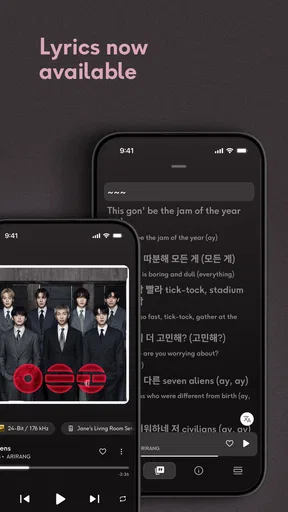
- No lyrics support available.
- Limited podcast selection.
Similar Picks in This Category
View All
YouTube Music
Google LLC4.4

Samsung Music
Samsung Electronics Co., Ltd.3.8

Spotify: Music and Podcasts
Spotify AB4.3

JioSaavn - Music & Podcasts
Saavn Media Limited4.3

Lark Player:Music Player & MP3
Lark Player Studio - Music, MP3 & Video Player4.6

StarMaker: Sing Karaoke Songs
SKYWORK AI PTE. LTD.4.3
Frequently Asked Questions
What is Qobuz and how does it differ from other music streaming services?
Qobuz is a premium music streaming service that offers high-resolution audio quality and a vast library of over 70 million tracks. Unlike many competitors, Qobuz provides an editorial approach with reviews, artist interviews, and curated playlists. It caters to audiophiles and those who appreciate high-quality sound and in-depth music exploration.
Does Qobuz offer offline listening, and how does it work?
Yes, Qobuz supports offline listening, allowing users to download tracks, albums, or playlists to their device. This is especially useful for listening without internet connectivity or to save data. To use this feature, simply select the content you want, and tap the download icon within the app.
What audio formats and quality does Qobuz provide?
Qobuz is renowned for its high-resolution audio offerings. It provides streaming in several formats, including FLAC at up to 24-bit/192 kHz. This caters to audiophiles who seek superior sound quality compared to standard streaming services, which often compress audio files.
Is Qobuz available worldwide, and what devices are compatible with the app?
Qobuz is available in multiple countries, primarily across Europe and North America. It's compatible with a wide range of devices, including Android and iOS smartphones, tablets, desktops, and various music streaming devices. Always check the Qobuz website for the latest availability updates in your region.
What subscription plans does Qobuz offer, and are there any free trials?
Qobuz offers several subscription tiers, including Studio Premier and Sublime+ for higher-resolution audio. Plans can be individual or family-based. While there is no free tier, Qobuz often provides a free trial for new users, allowing them to explore the service's offerings before committing to a subscription.
